
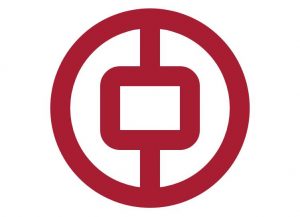
刚开始学习canvas,先照着W3C教程练习了一遍,产生想做个练习的想法,以前刚学PS时画一个中国银行LOGO,于是就基于目前所学,用canvas画了个简单的LOGO,可以直接调整canvas大小。
<!doctype html>
<html>
<head>
<meta charset="utf-8">
<title>demo</title>
</head>
<body>
    <canvas id="icbc" width="500" height="500" style="display: block; margin: 30px auto 0;"></canvas>
    <script>
        var icbc = document.getElementById("icbc");
        var ibx = icbc.getContext("2d");
        var r = icbc.width / 2;  //半径大小
        var b = r * 0.2;         //边框大小

        //画一个圆
        ibx.beginPath();
        ibx.strokeStyle = "#a71e32";
        ibx.lineWidth = b;
        ibx.arc(r, r, r - b / 2, 0,2*Math.PI);
        ibx.stroke();

        //画中间矩形
        drawRoundRect(ibx, r * 0.6, r * 0.68, r * 0.8, r * 0.64, b / 2);
        ibx.stroke();

        //画第一根竖线
        ibx.beginPath();
        ibx.moveTo(r, b);
        ibx.lineTo(r, r * 0.68 - b / 2);
        ibx.stroke();

        //画第二根竖线
        ibx.beginPath();
        ibx.moveTo(r, r * 1.42);
        ibx.lineTo(r, r * 2 - b / 2);
        ibx.stroke();

        //圆角矩形函数
        function drawRoundRect(cxt, x, y, width, height, radius){
            cxt.beginPath();
            cxt.arc(x + radius, y + radius, radius, Math.PI, Math.PI * 3 / 2);
            cxt.lineTo(width - radius + x, y);
            cxt.arc(width - radius + x, radius + y, radius, Math.PI * 3 / 2, Math.PI * 2);
            cxt.lineTo(width + x, height + y - radius);
            cxt.arc(width - radius + x, height - radius + y, radius, 0, Math.PI * 1 / 2);
            cxt.lineTo(radius + x, height +y);
            cxt.arc(radius + x, height - radius + y, radius, Math.PI * 1 / 2, Math.PI);
            cxt.closePath();
        }

    </script>
</body>
</html>